
 Create a Student Account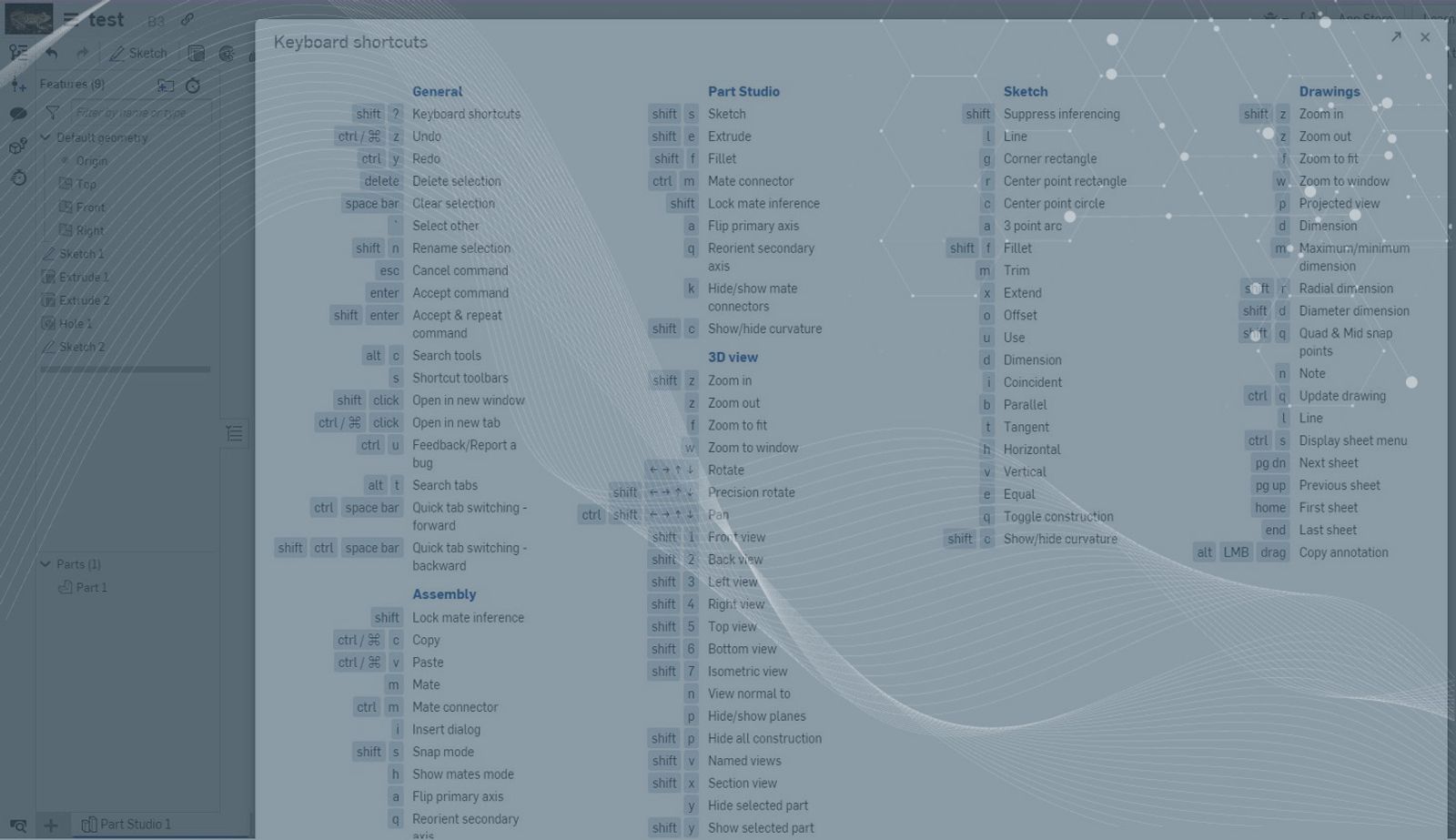
1:02
Are you ever working along in Onshape and you need the shortcut map – and know there must be a shortcut for the map itself?
Well, there is. Instead of moving the mouse up to the help menu, you can hit Shift + ? and it will bring up the map of keyboard shortcuts.
You can then hit the ESC key to close the map again and continue working.
Shortcut Bar in Onshape
While we are talking about shortcut keys, let’s visit my favorite one that you, as a user, can customize: The S keyboard shortcut bar.
Go into your settings found under My Account
Go to Preferences and scroll down to the shortcut toolbars! Now you’re able to customize whatever shortcuts you need!
This Tech Tip helped you quickly access the shortcuts you need to know to be a faster Onshape user. Watch the video below to see the tool in action:
We have more resources for you to learn more about related features, like using Select Other. Here’s that. We also have more information on customizing your toolbars. Here’s that link, too!
Interested in learning more Onshape Tech Tips? You can review the most recent technical blogs here.
Latest Content
- Blog
- Becoming an Expert
- Assemblies
Built to Scale: Why Large Assemblies Don’t Slow Down in Onshape
07.16.2026 learn more- Blog
- News from Onshape @ PTC
- Artificial Intelligence
Onshape Labs: AI in CAD Guided by Designers, Driven by Innovation
07.15.2026 learn more- Blog
- Evaluating Onshape
- Data Management
- Collaboration
- Artificial Intelligence
How the Most Underrated CAD Feature Improves Design Workflows
07.09.2026 learn more